A project is one app you monitor. Projects lists them with open issues, events, fatal count and recent issues for each.
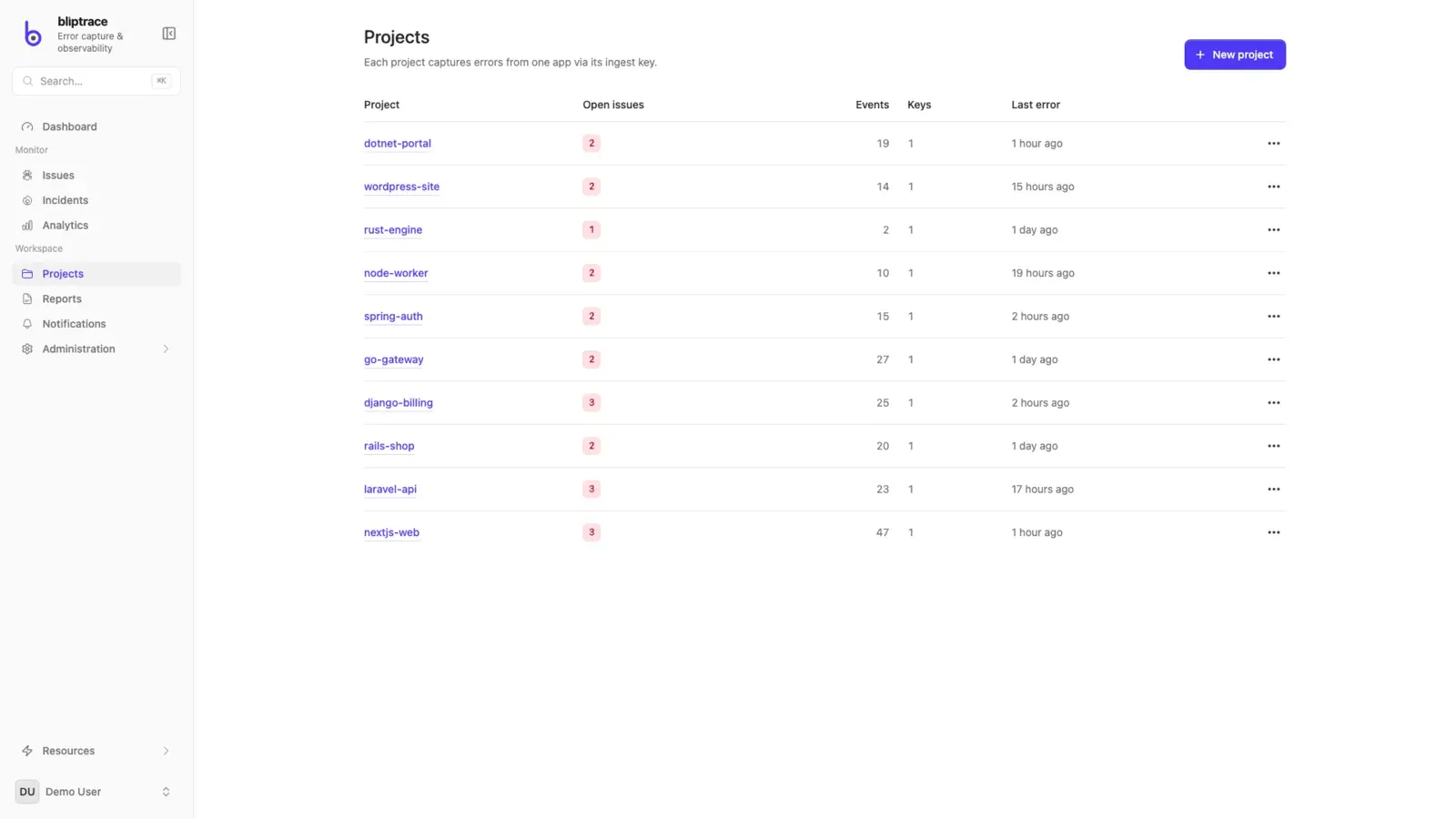
Reused screenshot with demo data.
Create a project
New project, enter a name (for example checkout-api), Create project. Creating a project issues its first ingest key and opens the project page with the key shown once. Any signed-in user can create projects in their own account; there is no limit on the number of projects.
The project page
| Area | Shows |
|---|---|
| Header | Name, Settings, View issues, Generate key |
| Tiles | Open issues, events, fatal, last error |
| Recent issues | The latest issues, linked to their detail pages |
| Send errors here | A curl snippet with the ingest URL https://ingest.bliptrace.com/v1/ingest |
| Ingest keys | Each key’s name, masked value (blip_… plus the last four characters; keys created before 23 Nov 2026 show g8s_… and keep working), status and age |
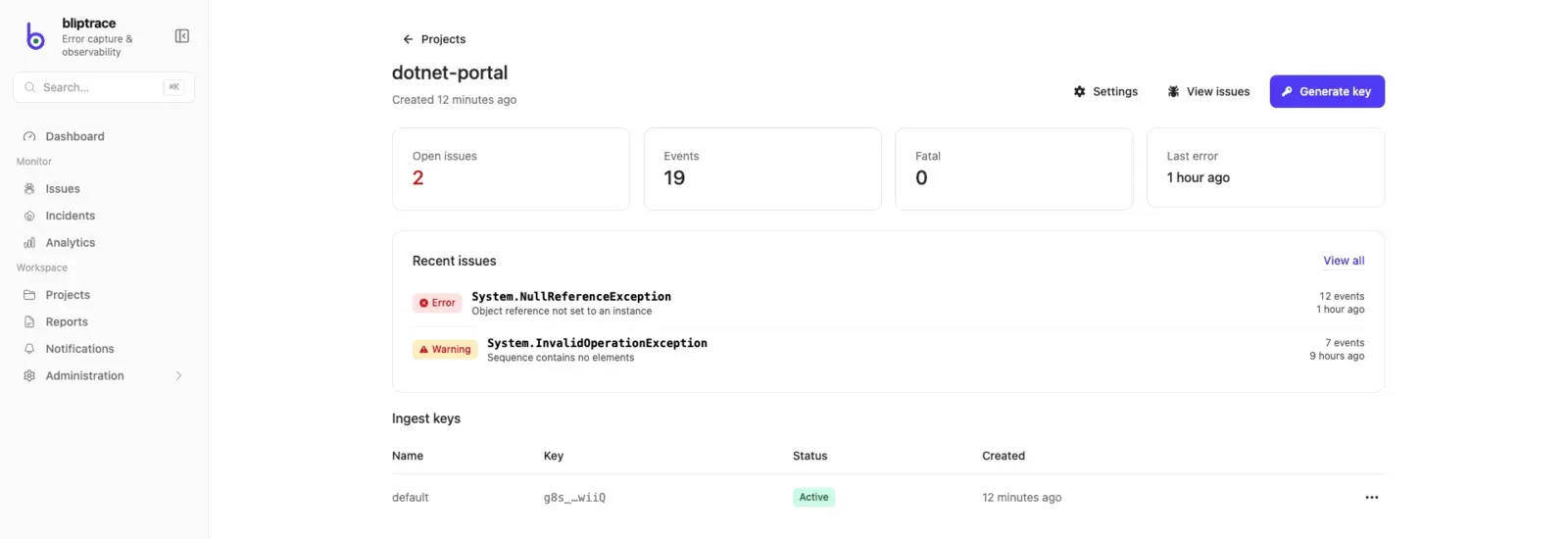
Reused screenshot with demo data, cropped. The live page also has the “Send errors here” snippet between the recent issues and the keys.
Ingest keys
- Generate key creates a new key and shows it in full once. Copy it straight into your app’s secrets.
- Keys can never be shown again. If one is lost, generate a new one and revoke the old one from its row menu.
- Revoke stops a key at once. Events sent with it get
403 unknown ingest key. - Rotate without downtime: generate a new key, deploy it, then revoke the old one.
Managing keys needs the manage keys ability (owner or admin).