The issue page has everything needed to understand and triage one bug.
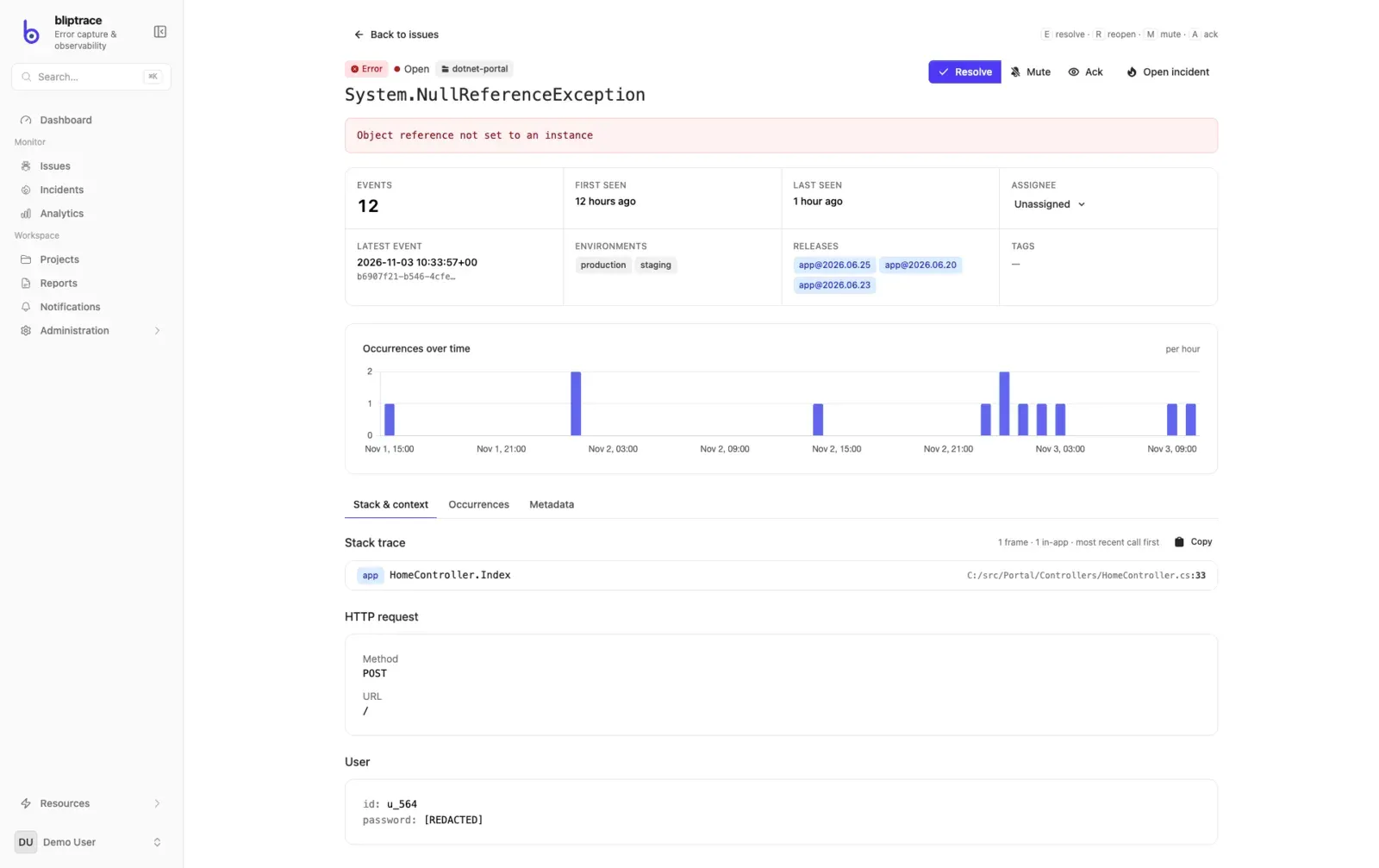
Reused screenshot with demo data.
The header
The exception type, the culprit, the level, status and project, and the message in a callout. The actions sit on the right:
| Action | Shortcut | Effect |
|---|---|---|
| Resolve | E |
Marks it fixed. A new occurrence reopens it as a regression |
| Reopen | R |
Shown instead of Resolve on a resolved issue |
| Mute | M |
Hides known noise; events are still counted |
| Ack | A |
Acknowledged: someone is on it |
| Open incident | Starts an incident for the issue; it becomes Resolve incident while one is open |
Shortcuts do nothing while you are typing in a field or a menu is open. Changing status needs the triage ability (owner, admin or member; see roles).
Facts
Events, first seen, last seen, assignee, the latest event (time and event_id), environments, releases and tags. Use the Assignee menu to give the issue to the account owner or a project member.
Below the facts, Occurrences over time charts the events per hour.
Tabs
| Tab | Shows |
|---|---|
| Stack & context | The stack trace with your own frames marked app, a copy button, then whatever the event carries: caused-by exceptions, the HTTP request, the database query, the user, custom context, breadcrumbs and trace correlation |
| Occurrences | Every event in the issue, newest first, with time, environment, release and event id |
| Metadata | The raw facts about the issue and its latest event |
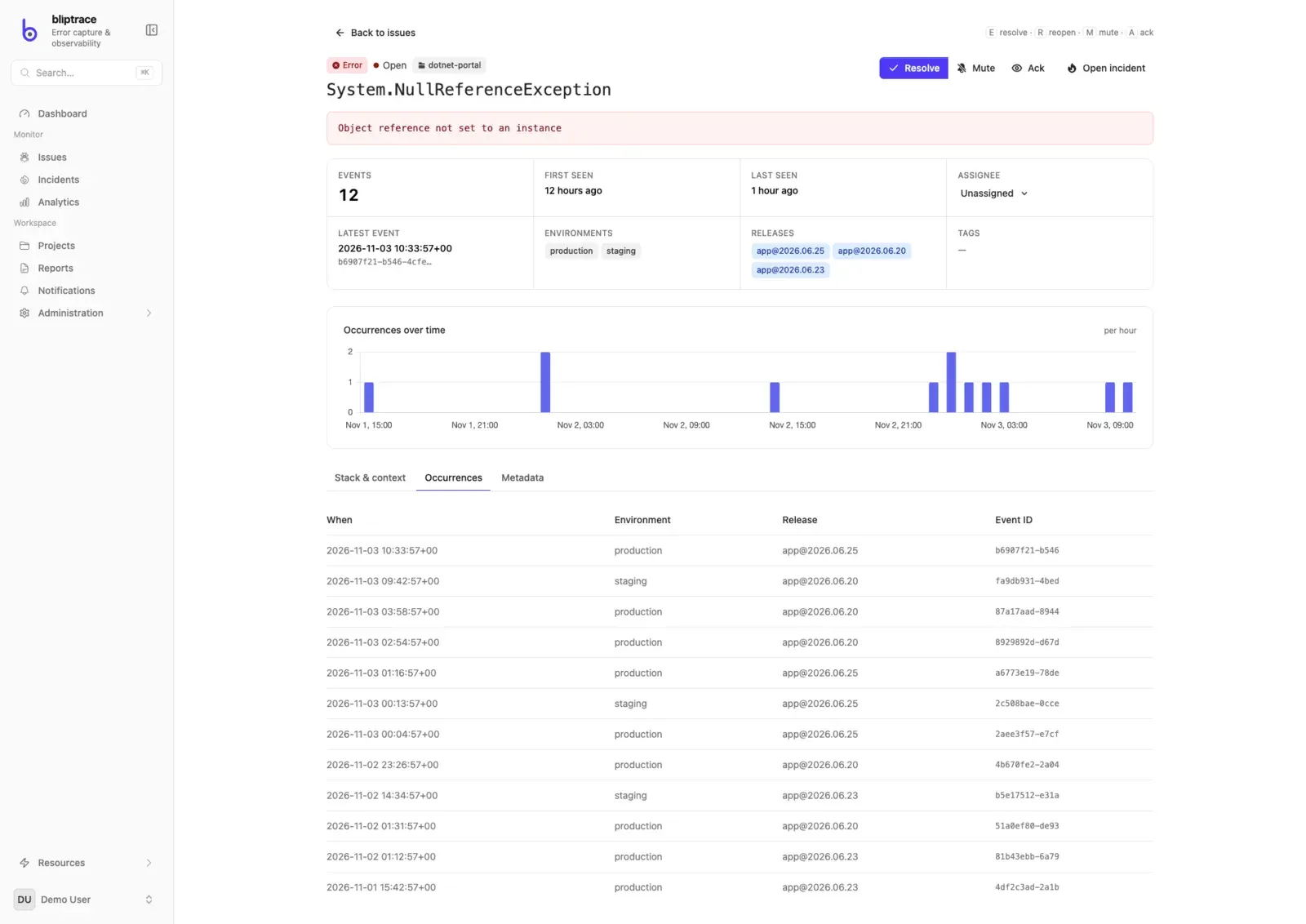
Reused screenshot with demo data.
Context is scrubbed before storage, so secret fields show as [REDACTED] and personal data as ****.